← All software
Linux & Windows · Preview

Haiwire

Work with your coding agents where your project already lives. Haiwire brings a persistent terminal, project conversations, file editing and Git review into one native Rust workspace. Keep control of the tools, accounts and work you hand off.

Loading published downloads…

Screenshots

Linux preview.40 is shown with a demo project. The Windows images show an earlier preview.

What it does
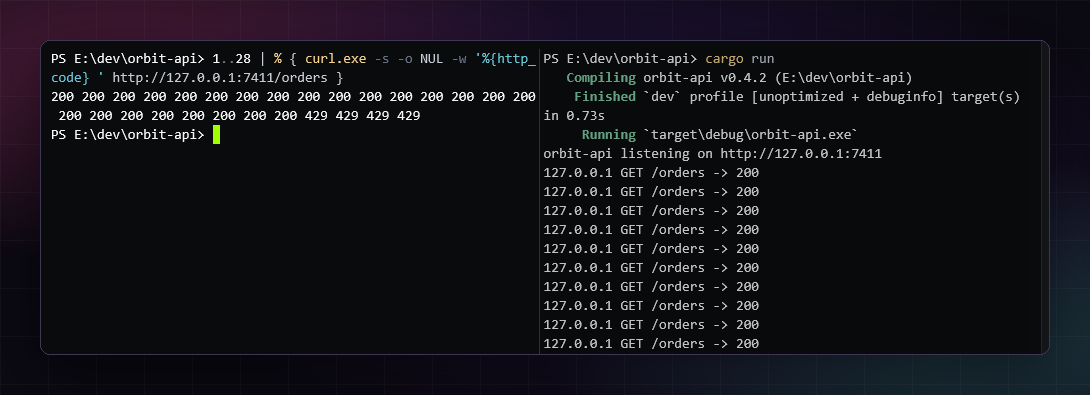
Haiwire terminal panes with independent command output

A terminal that stays yours

Run your shell, development servers, command-line tools and full-screen terminal programs in the same native workspace.

  • Persistent interactive shells with split panes.
  • Bash on Linux and PowerShell on Windows; built-in prompt and history conveniences for supported shells.
  • Save terminal scrollback for reference after a restart without replaying commands.
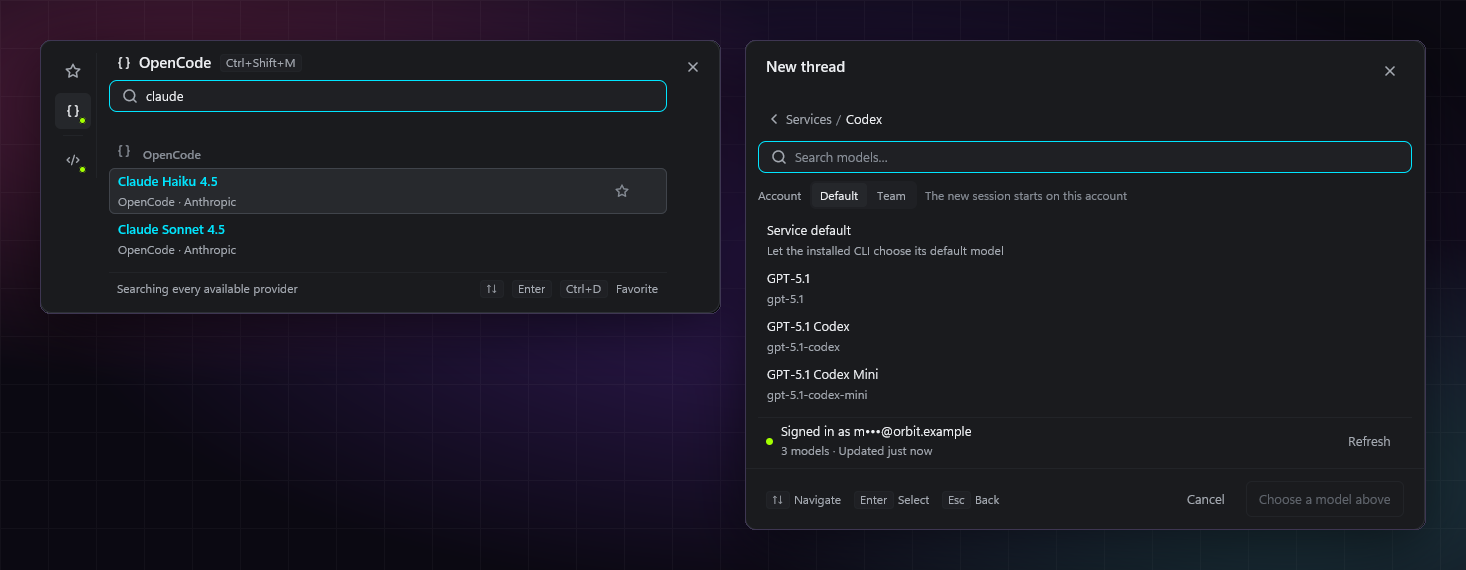
Haiwire's searchable provider and model picker

Choose your coding agent

Use Codex, Claude Code or OpenCode in project-bound conversations. ChatGPT Web is available through the browser companion and Haiwire tools setup.

  • Use your own installed tools and signed-in accounts.
  • Search available models and supported reasoning options from one picker.
  • Continue an idle conversation with another supported provider through an explicit context handoff.
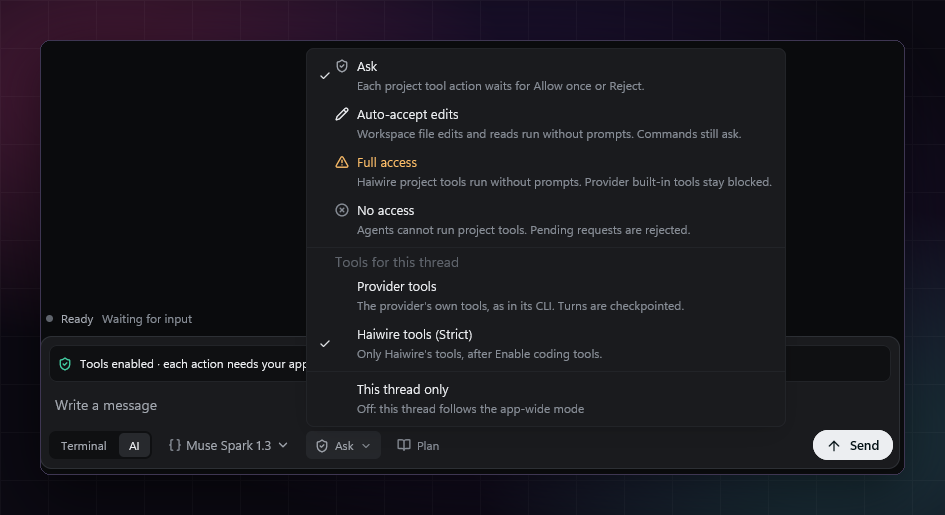
Permission controls in Haiwire's native composer

Permissions you can see

Choose No access, Ask or Full access, with Auto-accept edits where supported. Approval cards keep requested actions visible.

  • Provider-native sessions retain the provider's enabled integrations.
  • Strict mode uses Haiwire-managed tools for supported providers.
  • Permissions are approval controls, not an operating-system sandbox.

Work across projects and threads

Browse all projects or filter the thread list to one project. Keep drafts and retained history separate from running agent sessions.

  • Saved and archived conversations can be restored when you need them.
  • Restored native conversations carry validated saved context on your next explicit Send.
  • Queue, edit and stash prompts without losing a separate draft.

Delegate work and follow the result

Supported coordinator threads can hand scoped work to workers and collect their results inside Haiwire.

  • Follow worker activity and review returned work.
  • Keep project scope and tool permissions attached to the work.
  • Inspect and stop owned background tasks from the workspace.
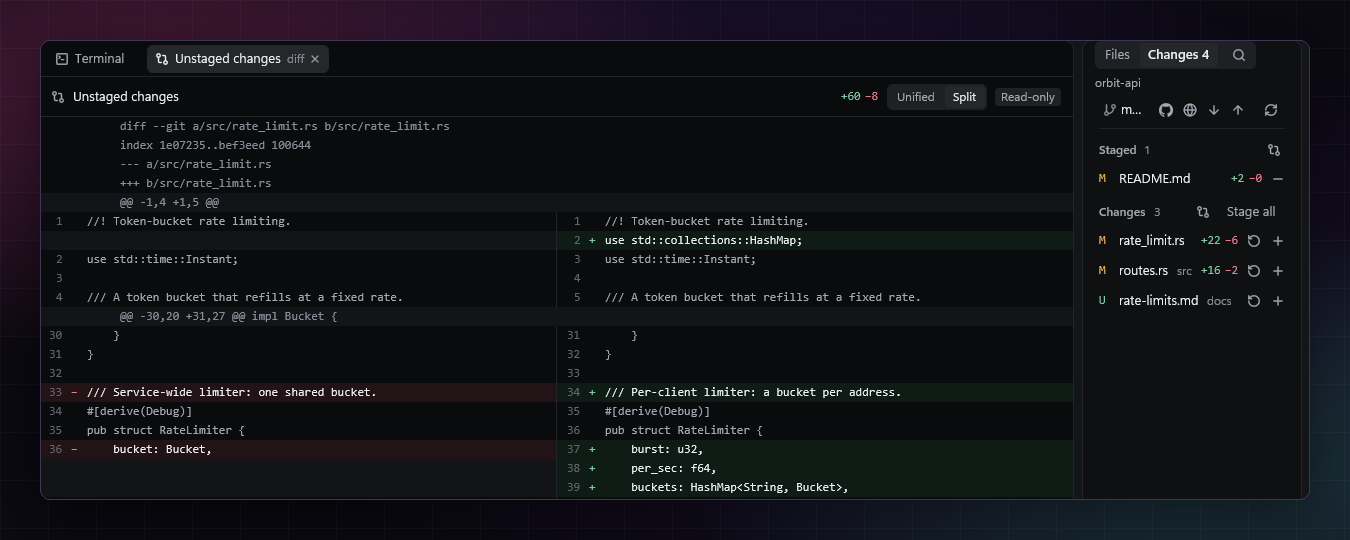
A Git changes list and side-by-side diff in Haiwire

Review and recover

Inspect file changes and conversation edits before continuing. Git checkpoints are available for eligible turns in Git repositories.

  • Read staged and unstaged changes in unified or side-by-side diffs.
  • Use Edit from here with a bounded context handoff; Cancel keeps draft work recoverable.
  • Restore eligible file checkpoints through an explicit confirmation.
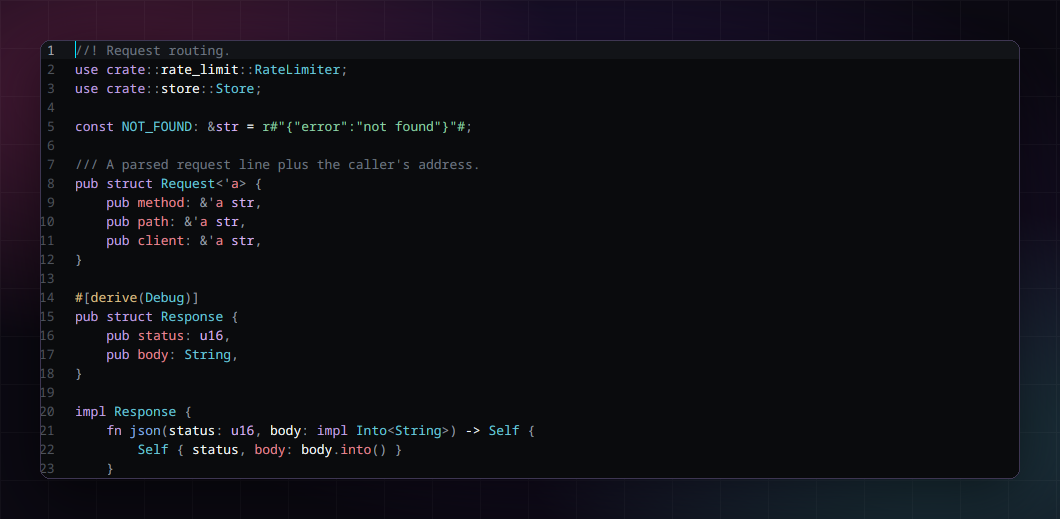
Haiwire's native file editor with language-server assistance

Edit files without leaving the project

Open project files in central tabs, with syntax highlighting and your installed language servers.

  • Completion, diagnostics, definition lookup and rename where the language server supports them.
  • Find and replace, including regular expressions.
  • Markdown preview with Mermaid diagrams.
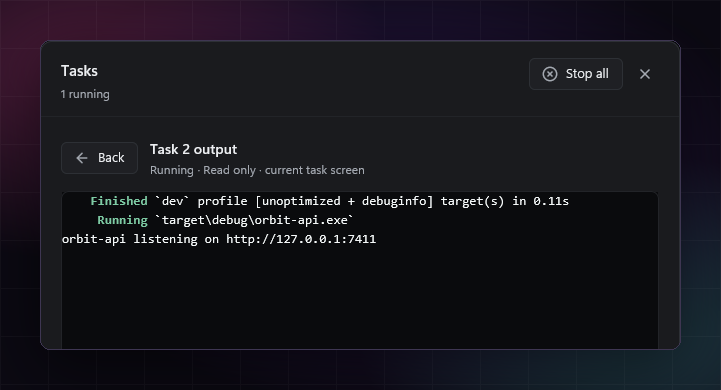
A running task and its output in Haiwire

Keep long-running work in view

Run builds and servers as owned tasks with output, elapsed time and exit status.

  • Review live and recent task output.
  • Stop the tasks you own without hunting for processes.
  • Receive a close confirmation when work is still running.